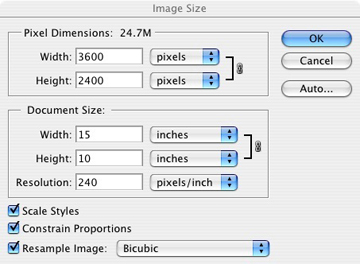
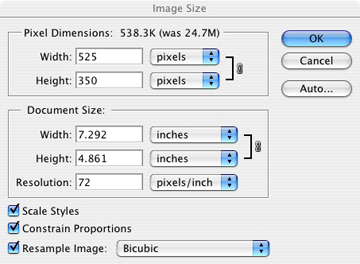
For the Gallery Slide Show to work properly, the images and text must meet the requirements of this program.
Image
1. Size: resolution -72, height no more than 350 pixels, width no more than 575 pixels.
Use the example to the right:
First make a copy of your image. Then change the resolution to 72 and the height to 350 pixels. Check to see that the width is under 575 pixels. That's it.
2. File name (.jpg) : lower case, no spaces, no special characters (& @ ; ' " , ) the _ underscore can be used. Must be a .jpg (lower case).
Note: The file name (.jpg) can be the same as the Title of the photograph.
|